Ah, sounds fair! While this game seems to be pretty good about allowing mods to work without issue, I wouldn’t be surprised if, at best, a mod overwrites your Joppa changes but just makes it so that the scale doesn’t show up as intended – since folks are bound to be led in Argyve’s direction for the starter quests there, he’d sound like a good pick!
Won’t say no to other options in different locations though, even if it’s more of a ‘for fun’ item :P.
Oh that reminds me, work is in progress on another piece of weight check furniture, The Shower, thats a bit more descriptive of your body at its current state, with variant text for different changes it may have undergone, might be a while til its done and its got some errors right now so i think its unimplemented for now
Great job on the work for this. It was amazing how quickly you got something out working and updating with new features and bug fixes alive. Thanks for a wonderful experience.
Hey got a modding question. Is it possible to give a custom preset the ability to change sprites with the weight gain system? I recently made one along with some WG sprites, but I don’t know if its possible to make them work with Larger Folks.
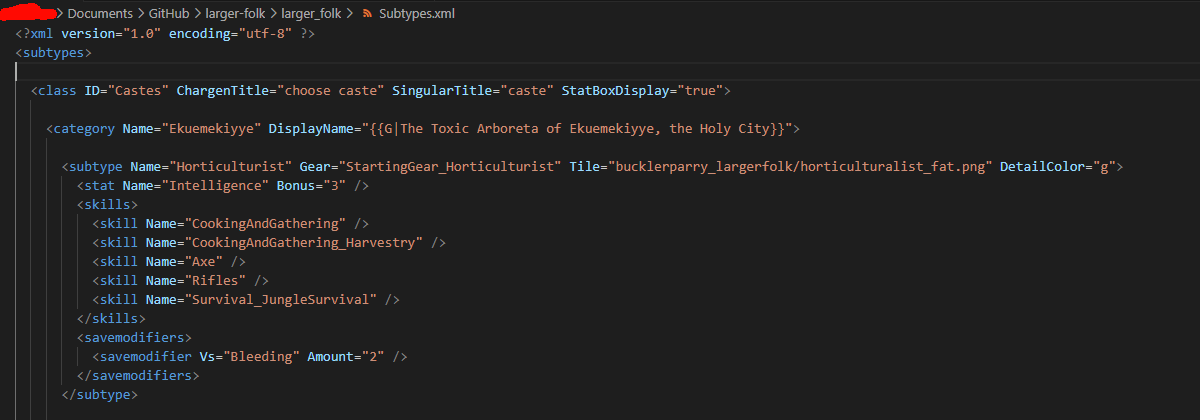
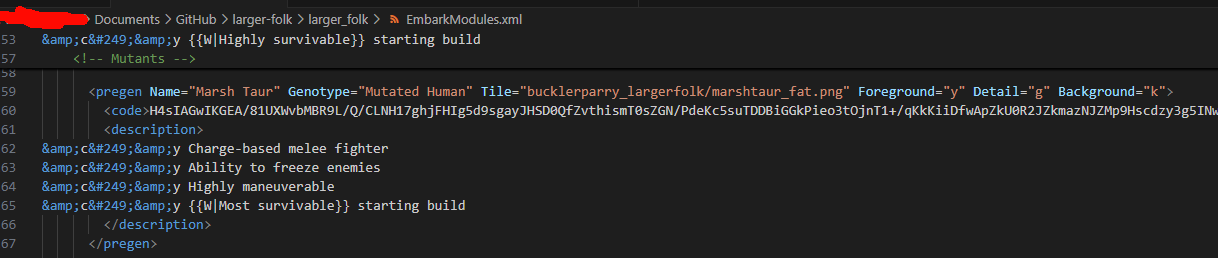
character callings/castes are stored in Subtypes.xml, and presets are stored in EmbarkModules.xml, buuuut you probably shouldn’t need to touch these beyond setting the tile filename (what it spawns as / what shows up in the character creation menu, this is overwritten by dynamic weight gain when it’s enabled, default is fat.)
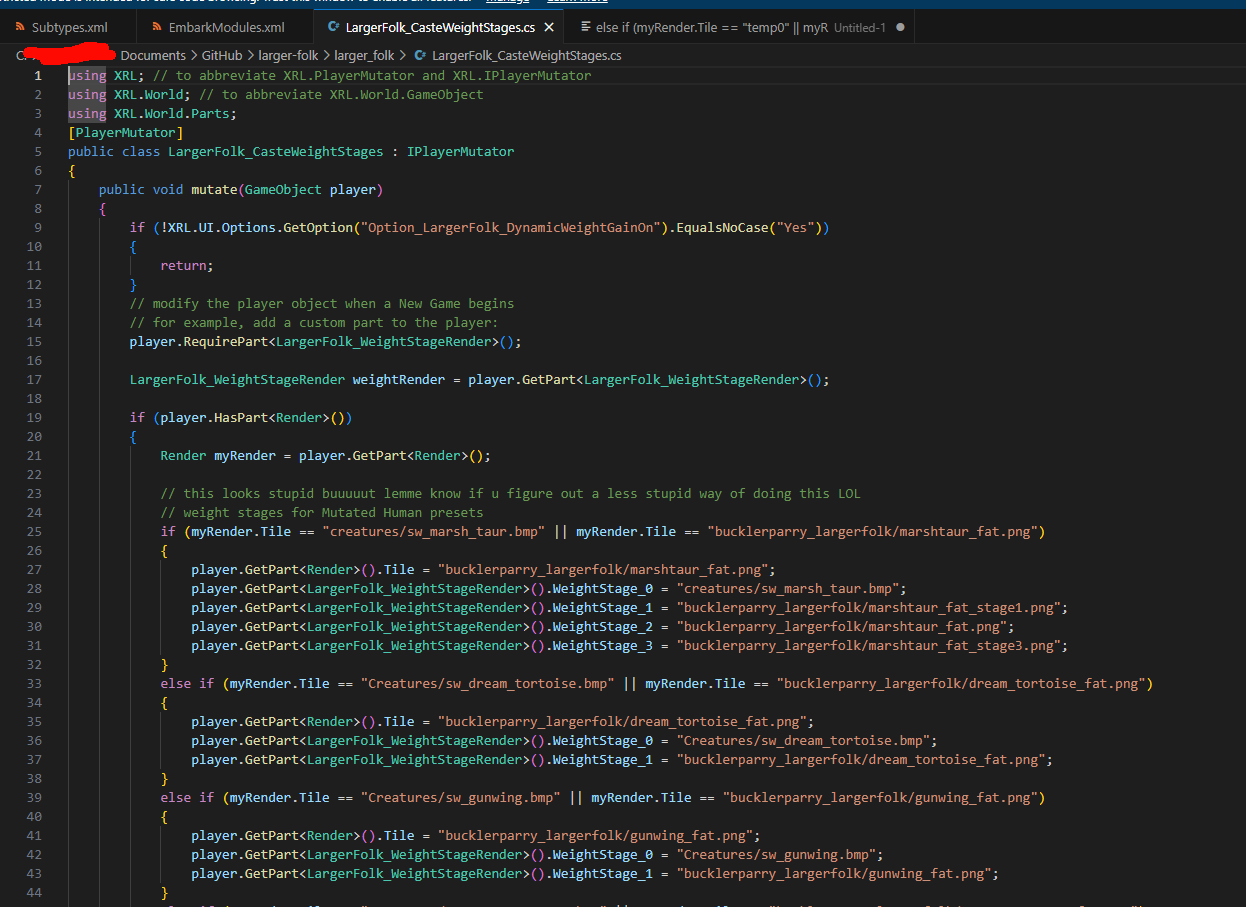
The dynamic weight tiles are added by a C# script called LargerFolk_CasteWeightStages.cs, which runs on a newly-created character. It checks through what tile the character uses, and sets the weightstagerender’s dynamic tile paths based on that. It’s a jank solution… But you could probably just create a copy of the script that only checks for the sprite you want and puts them in? if you can’t get something together send it over to me and I’ll try to take a look at it when I’m free
Hmm I see. I did try to add my preset in LargerFolk_CasteWeightStages.cs but it didn’t recognize it. The preset itself along with the textures was in its own folder outside of the LargerFolk mod folder ( I followed these instructions from the CoQ wiki Modding:Tutorial - Custom Player Tiles - Official Caves of Qud Wiki). Apologies, I forgot to mention that. So I would need to add the preset to the LF’s EmbarkModule.xml, along with the tiles to Textures\bucklerparry_largerfolk? (not sure about Subtype.xml, it uses a vanilla Calling). Again sorry, I’m still new to CoQ modding. ^^;
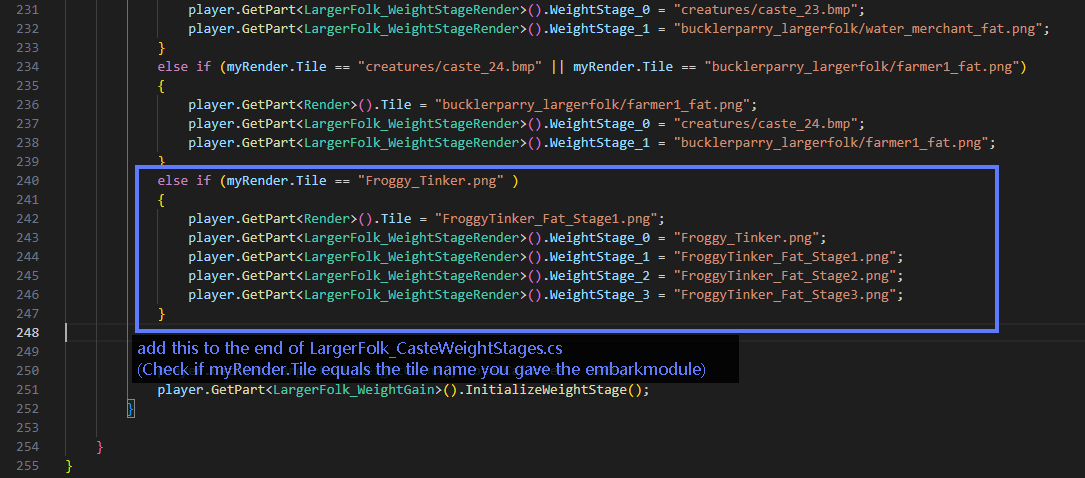
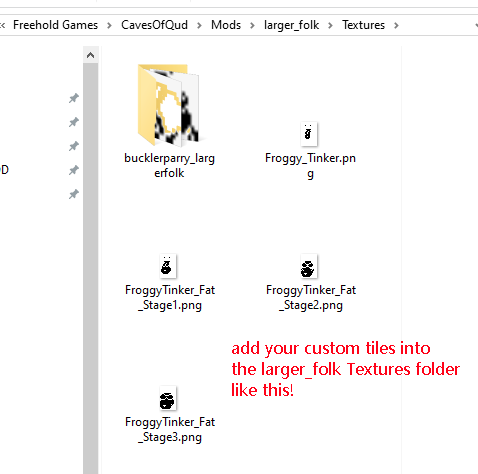
A janky solution of sorts was found, so I’ll post it here for anyone else who may be interested in hooking their own custom sprites into it. Look on the qud wiki modding page for more info about the sprite spec requirements to display in-game.
The gist is create a pregen character in EmbarkModules.xml or rename one of the existing ones, and set its Tile to be the filename of your custom sprite, then go to LargerFolk_CasteWeightStages and make it check for that tile and set the WeightStageRender slots accordingly
so what does this mod do, other than make increased weights have more stuck effects?
I’ve looked through the files and I see the code for a bunch of other stuff, but I haven’t (naturally) encountered any of it, with the exception of certain named npcs being fat/having fat related dialogue